Zero-Based Budgeting for Beginners: How to Give Every Dollar a Job
Zero-based budgeting explained simply, with a step-by-step example, common mistakes and how to track budget vs actual in a spreadsheet.
Zero-based budgeting means you assign every dollar of your monthly income a job (spending, saving or paying debt) until your income minus everything you have planned equals exactly zero. It does not mean you spend everything. Savings and extra debt payments are jobs too. The point is that nothing is left unplanned.
Why zero-based budgeting works
- It is intentional. You decide in advance where money goes instead of wondering where it went.
- It shows trade-offs. If you want more for dining out, you can see which category it comes from.
- It works on any income. You budget the money you actually expect this month.
How to make your first zero-based budget
- Write down this month’s income. Use take-home pay after tax, plus any side income you are confident about.
- List your fixed bills. Rent or mortgage, utilities, phone, insurance and minimum debt payments.
- Add everyday spending. Groceries, transport, household and personal items. Look at last month’s statement for realistic numbers.
- Give savings a line. Emergency fund, sinking funds for holidays or car repairs, and long-term goals.
- Assign whatever is left. Put it toward a goal until “left to budget” reaches zero.
- Track as you go. Log what you actually spend and compare it with your plan.
A simple example
| Category | Planned |
|---|---|
| Take-home income | $4,000 |
| Rent | $1,450 |
| Utilities and phone | $280 |
| Groceries | $520 |
| Transport | $300 |
| Insurance | $180 |
| Debt payment | $350 |
| Fun and dining out | $220 |
| Emergency fund | $400 |
| Holiday sinking fund | $300 |
| Left to budget | $0 |
The same method works in pounds, Canadian dollars or any other currency.
Budget vs actual: the step most people skip
A plan only helps if you check it. Once a week, enter your transactions and compare each category’s actual spending with its budget. If groceries run over, move money from another category so you still balance to zero. Over a few months you will learn what your real numbers are.
Common beginner mistakes
- Forgetting irregular costs like annual subscriptions, gifts and car maintenance. Use sinking funds.
- Being too strict. A small “fun money” line makes a budget easier to stick to.
- Never adjusting. Budgets change every month. That is normal.
Make it easier with a spreadsheet
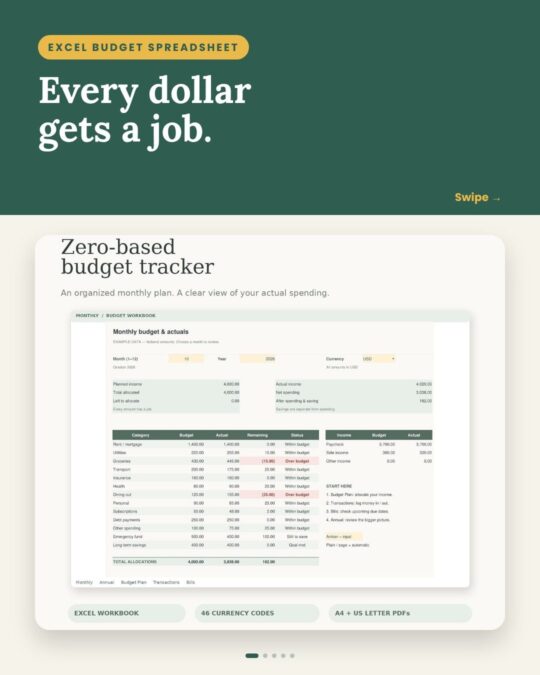
Our Zero-Based Monthly Budget and Actuals Tracker for Excel does the math for you. It shows how much is left to allocate, compares budget vs actual by category, tracks bills and charts your year, and it supports 46 currency display codes including USD, CAD and GBP. It comes with a clean workbook, an example workbook and a quick-start guide.
This article is general information, not financial advice.
Related reading
Printables for this: Zero-Based Monthly Budget & Actuals Tracker for Excel (instant download on Etsy).
Helpful resource: CFPB: track your spending with this easy tool.
Printables from this post